Find out how to delete a user
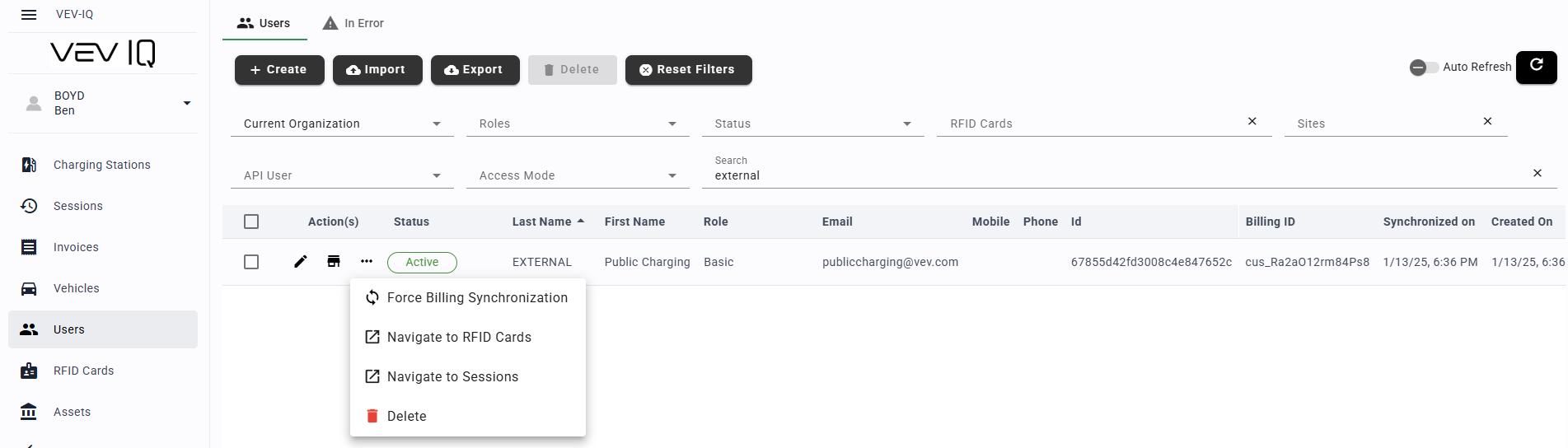
In case a user has to be deleted, for example they have left the company, you can do this from the VEV-IQ Web Portal:
- Click on 'Users' from the menu
- Find the user you want to delete
- Click on the three dots to the left of the user's name
- Select delete