Find out how to add a vehicle to your profile
Adding a vehicle to your profile will optimise your charging
App
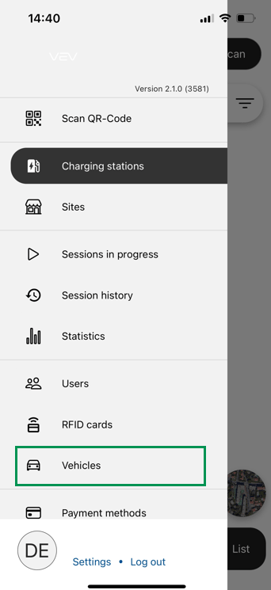
- Log into the app. Select 'Vehicles'
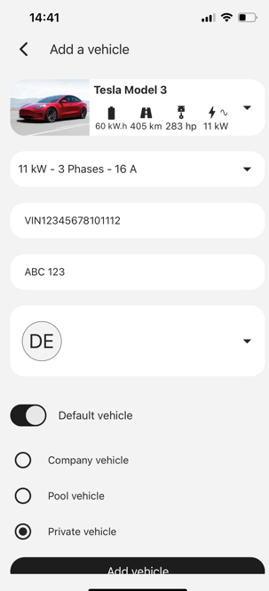
- Select '+' to add a vehicle, and input your details
- When you start a session, the vehicle will automatically be selected, optimising your charging session
You can usually find your VIN on three locations in your vehicle:
- On your car's dashboard, near the windshield on the driver's side.
- Stamped on your car's chassis. This is why VIN is also called the 'chassis number'.
- In our car's V5C logbook, as well as your insurance paperwork.