
Guide to Adding or Limiting Users to Sites
Manage User Access to Sites
You can assign users to specific sites, allowing them to view and charge vehicles at those specific locations. Only 'Basic' users can be restricted to specific sites; administrators have access to all sites
1. Add Users to a Site
- Go to 'Organisation' from the menu.
- Select the 'Sites' tab.
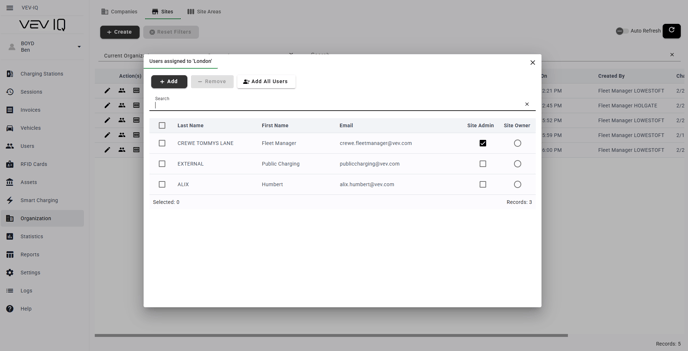
- Click the 'user icon' next to the site where you want to manage users.
- To add users, click 'Add'.
- Check the boxes next to the names of the users you want to add.
- Click the 'Tick' to confirm.
- A success message will appear
2. Remove Users from a Site
- Go to 'Organisation' from the menu.
- Select the 'Sites' tab.
- Click the 'user icon' next to the site where you want to remove users.
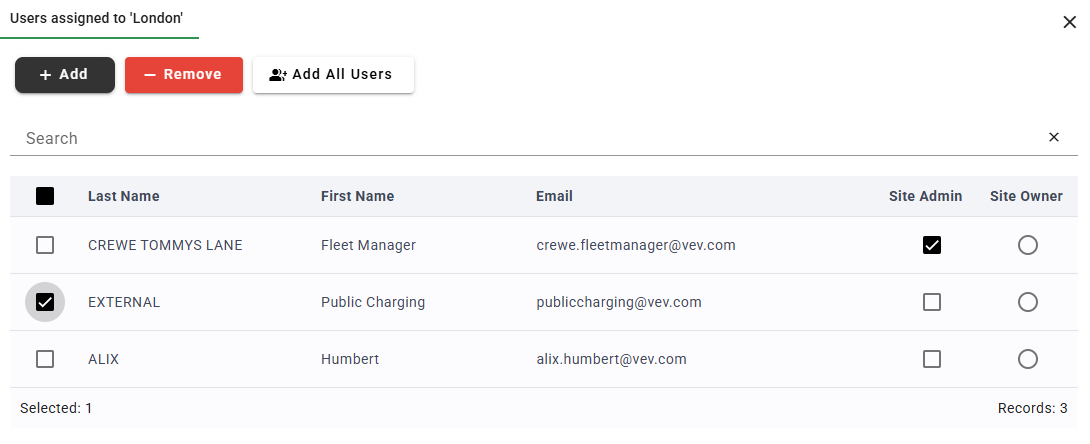
- Check the boxes next to the users you want to remove.
- The 'Remove' button will become active and turn red. Click 'Remove'
- Confirm your selection.
- A success message will appear.
Only 'Basic' users are eligible for this. By default, administrators have vision of all sites