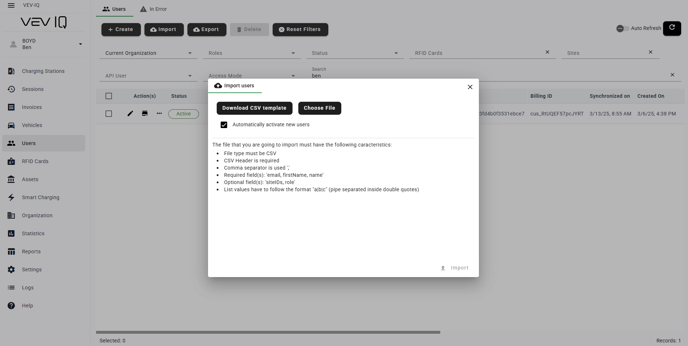
Find out how to add and manage user access to the platform and site access
Users can be added to VEV-IQ for Driver App and Web Portal access in several ways:
User Self Registers
Users can self register on the platform themselves.
Users will automatically be registered as a Basic User. If you want to update their role assignment, you can do this easily by following this guidance.
Manually add users
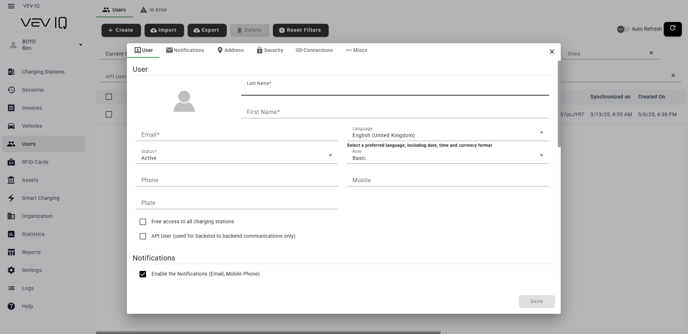
You can add individual users manually:
- Select 'Users' from the left hand menu
- Select '+ Create'
- Complete the user information such as name, email, and role
- Select 'Save'
- User will then have to activate their account and follow the steps to create a password and login
SSO User
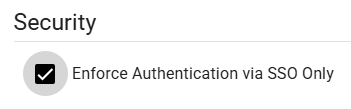
- Scroll to 'Security' tab
- Activate 'Enforce Authentication via SSO Only' if required
Bulk import users
You can bulk add users if you have several you want to add into the system at once
- Download the CSV
- Complete the CSV and save it in your documents
- Select 'Users' from the left hand menu
- Select 'Import'
- Choose your .csv file and click import
- Users will then have to activate their account and follow the steps to create a password and login