Guide to Activating Users Manually or Automatically
Manually Activating a User AccountIf you choose to manually activate users, follow these steps whenever a new user registers:
- Go to 'Users' from the menu in the web portal.
- Use the 'Status' filter and select 'Pending' to find users awaiting approval.
- Click the 'pencil icon' next to the user you want to activate.
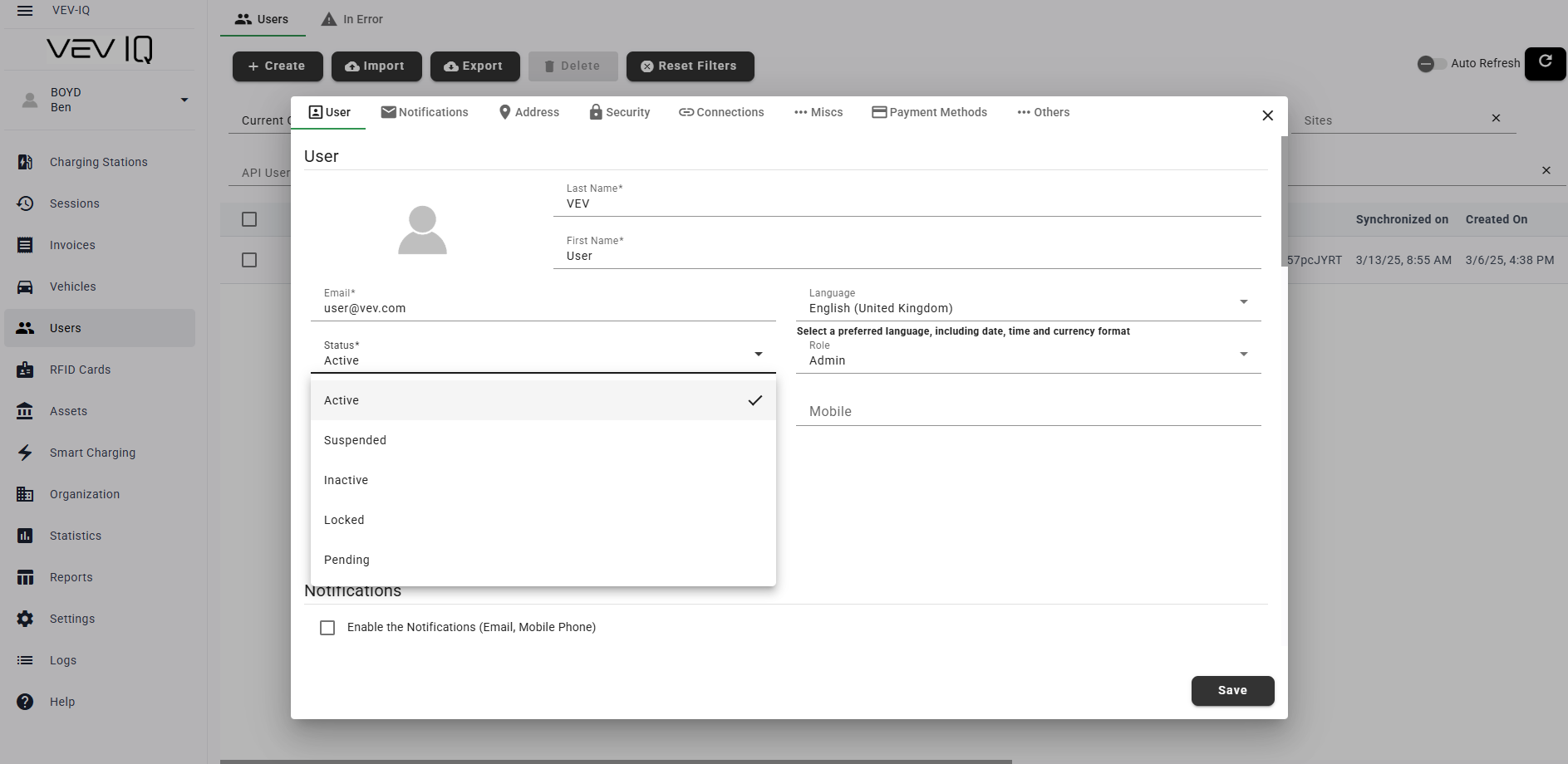
- In the editing window, change the status from 'Pending' or 'Inactive' to 'Active'
- Click 'Save'
This ensures that only approved users gain access to the platform, web portal, app, and RFID card features