![VIT06-Logo-Redesign-CMYK-1.jpg]](https://help.vev.com/hs-fs/hubfs/VIT06-Logo-Redesign-CMYK-1.jpg?height=40&name=VIT06-Logo-Redesign-CMYK-1.jpg)
Remote Commands
You can control chargers on VEV-IQ remotely, for example to resolve issues on the charger or set them as unavailable
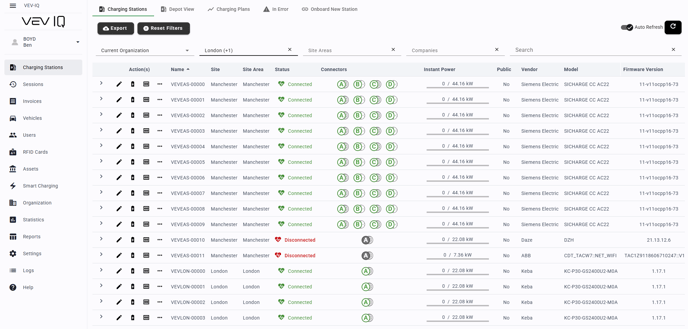
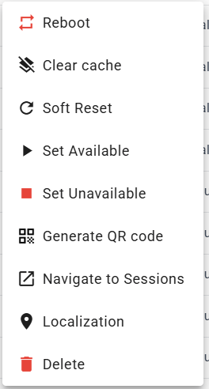
Navigate to 'Charging Stations' tab and select the 3 dots icon on the selected charger.
Soft reset:
Resets the charger without turning it off, useful for minor issues
Clear cache:
Removes the cached data stored on the charger.
Reboot:
Turns the charger off and then back on, refreshing its system
Set unavailable:
Makes the connector unavailable for use (e.g., for maintenance)
Set available:
Makes the connector available for use again.
Unlock connector
In some cases, the cable may get locked in the connector. If this happens:
- Find the charging station on 'Charging Stations'
- Select the down arrow to display the nested menu
- Select the
 'unlock' button
The unlock button is only visible when a vehicle is connected