![VIT06-Logo-Redesign-CMYK-1.jpg]](https://help.vev.com/hs-fs/hubfs/VIT06-Logo-Redesign-CMYK-1.jpg?height=40&name=VIT06-Logo-Redesign-CMYK-1.jpg)
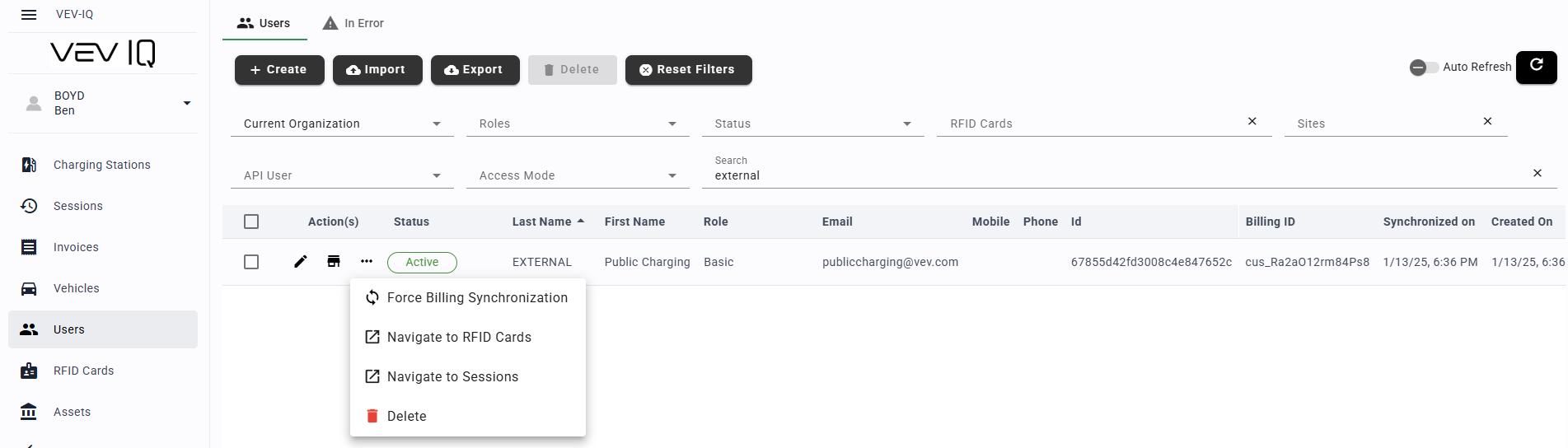
In case a user has to be deleted, for example they have left the company, you can do this from the VEV-IQ Web Portal:
- Click on 'Users' from the menu
- Find the user you want to delete
- Click on the three dots to the left of the user's name
- Select delete