![VIT06-Logo-Redesign-CMYK-1.jpg]](https://help.vev.com/hs-fs/hubfs/VIT06-Logo-Redesign-CMYK-1.jpg?height=40&name=VIT06-Logo-Redesign-CMYK-1.jpg)
Navigate to 'Charging Stations'
- Charger List
- View all chargers on-site in one place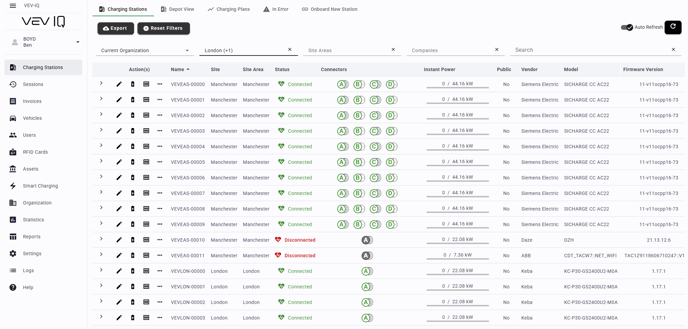
-
Charger Status
- Shows as 'Connected' or 'Disconnected'
Disconnected
- Loss of internet: Charging will continue, but unable to view in platform
- Loss of power: Charging will stop
-
Connector Status
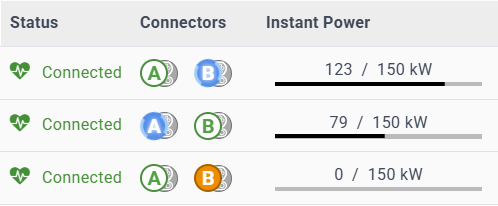
List of all connectors and their current status:
- Green: Available

- Blue / Flashing: Charging

- Blue/ Solid: Charging Paused

- Orange: Preparing or Finishing

- Red: Faulted

- Grey: Offline/ Unavailable

-
Instant Power
Real-time energy being delivered across whole charger
-
Per Connector
By expanding the view, you can view the status per connector and instant power
