![VIT06-Logo-Redesign-CMYK-1.jpg]](https://help.vev.com/hs-fs/hubfs/VIT06-Logo-Redesign-CMYK-1.jpg?height=40&name=VIT06-Logo-Redesign-CMYK-1.jpg)
Add Chargers in VEV-IQ
Chargers can be added directly to a site area or through the charging stations tab
Method 1: Adding a Charger via 'Site Area'This method ensures the charger inherits all site limitations, such as load management settings
Access Site Areas
- Go to 'Organisations' from the menu
- Select the 'Site Areas' tab
Add a Charger
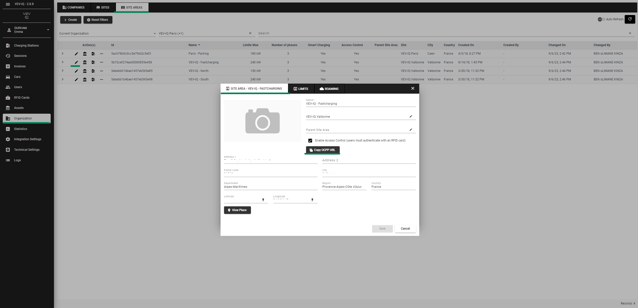
- Click the
 edit button next to the site area
 - Choose 'Copy OCPP URL' or 'Connect a Charging Station', depending on your previous actions
- Confirm by selecting 'Yes' to create a registration token
- Copy the URL into the OEM portal to assign the charger to the site area and establish an OCPP connection
Method 2: Adding a Charger via 'Charging Stations'This method is useful if the charger's site area is not yet determined. The charger will default to its manufacturer settings
Access Charging Stations
- Go to 'Charging Stations' from the menu
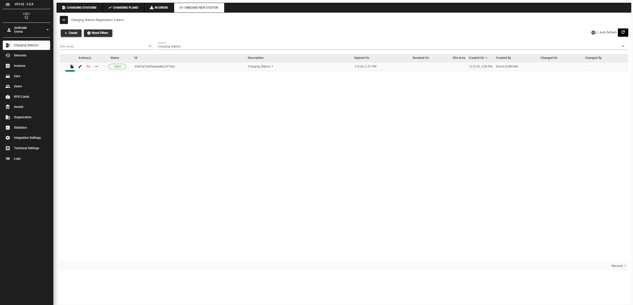
- Select the 'Onboard New Station' tab
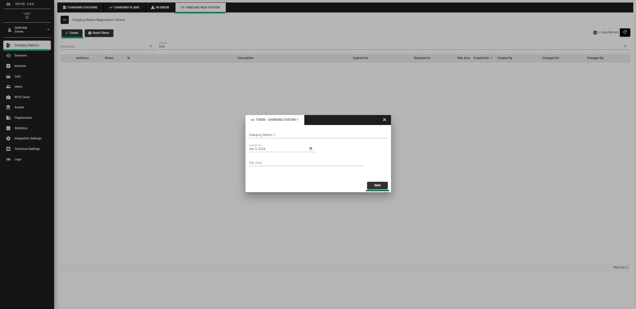
- Click 'Create'
Add Details
- Enter a description and, if known, the site area
- Click 'Save'
Establish Connection
- Copy the URL provided and paste it into the OEM portal to establish an OCPP connection
- Chargers are always added against a site area. You can add these in two ways: directly to the site area or within the charging stations tab