![VIT06-Logo-Redesign-CMYK-1.jpg]](https://help.vev.com/hs-fs/hubfs/VIT06-Logo-Redesign-CMYK-1.jpg?height=40&name=VIT06-Logo-Redesign-CMYK-1.jpg)
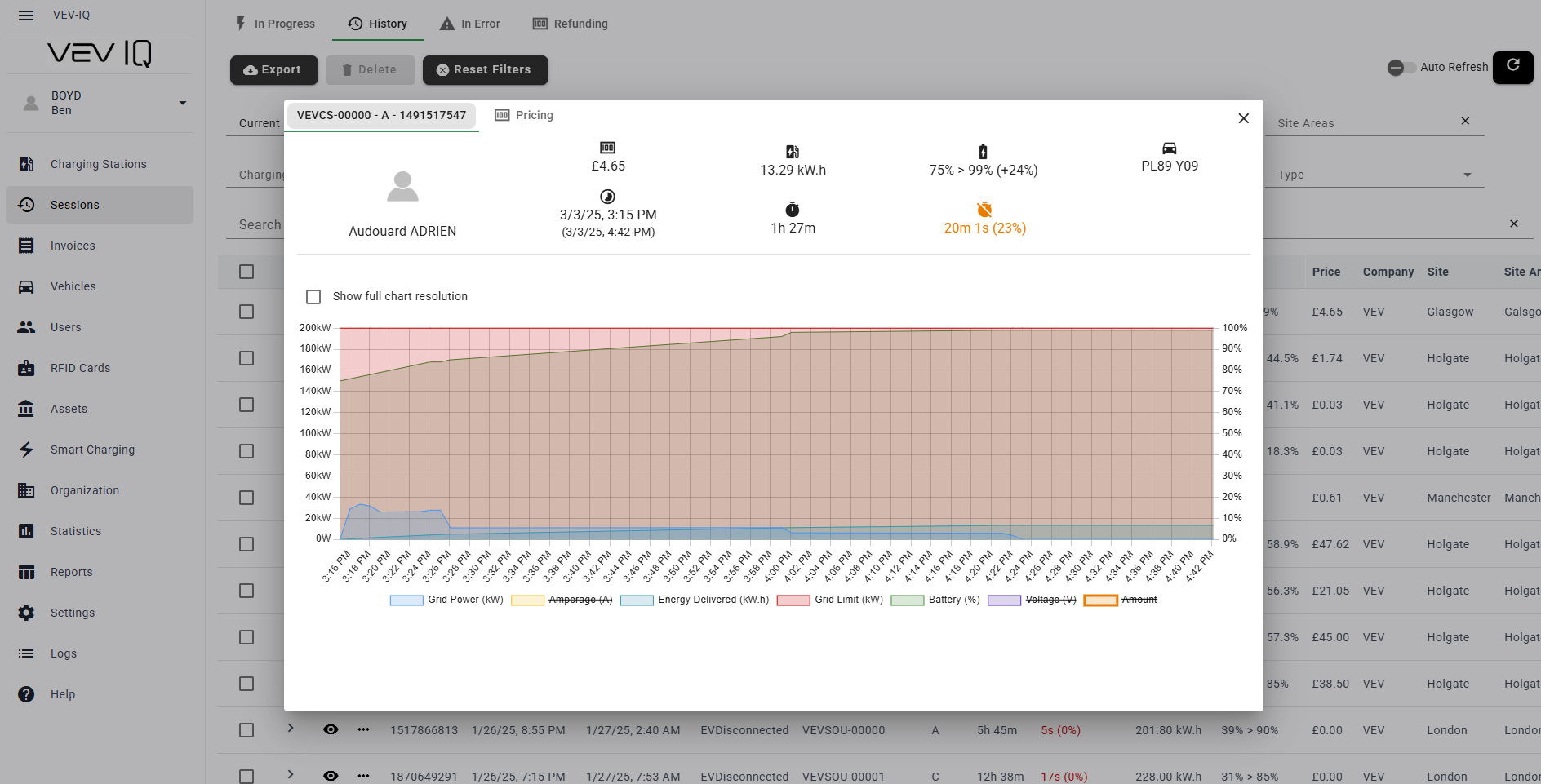
You can view historical sessions within VEVIQ, and filter by date, site, user and more. Within each, you can see the same data as you see in the live session, such as energy delivered, time charging and total inactive time, as well as pricing information.
- Select 'Sessions' from the left hand menu
- Select 'History' tab along the top to see an entire list of historical sessions
- Use the filters to identify a session you want to view
- Select the
 eye next to the session to view the pop up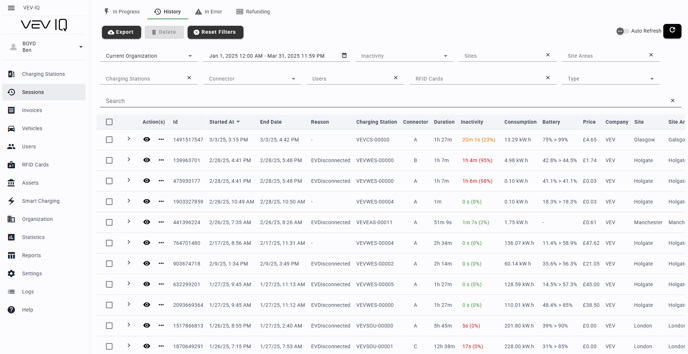
Understanding the Session Information
- The pop up will include all information to do with your historical charging session:
- User information
- Price paid
- Start time of charge and expected departure time
- Total energy delivered
- Total charging time
- Current SOC (if known via a telematics integration)
- Total inactive time
- You can also view charts to show grid power, cumulative energy delivered and grid limit at your site area